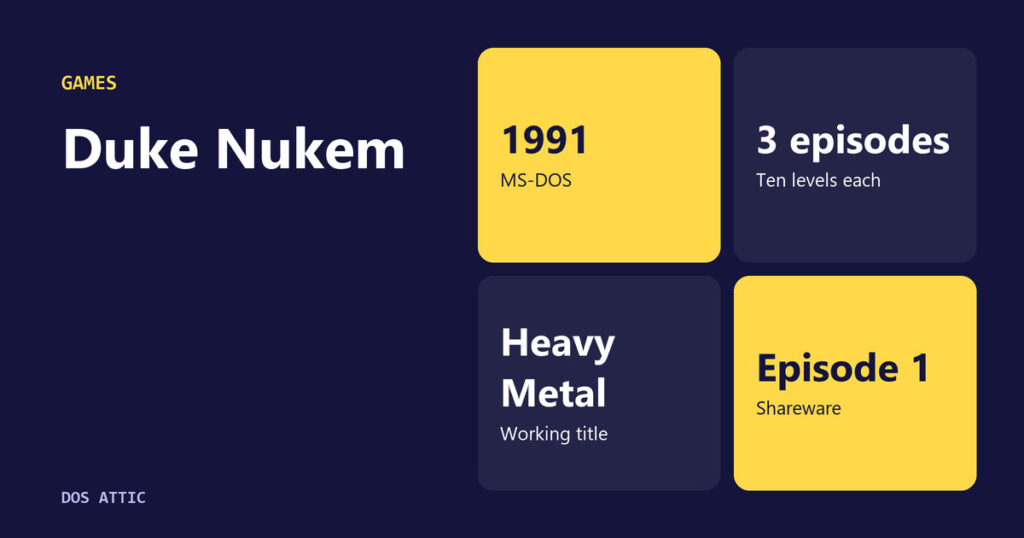
Ask who Duke Nukem is and the answer is usually a first-person shooter from 1996 with a chain of one-liners. That is where most people met him, but it is not where he began. The first Duke Nukem was a 1991 platform game for MS-DOS with a side view, a scrolling map and a villain named Dr. Proton, sold in three episodes by a Texas company that gave away the first one. The character everyone remembers was grafted onto a quieter hero who had already been through a name change and a trademark scare.
Ten levels per episode, three episodes
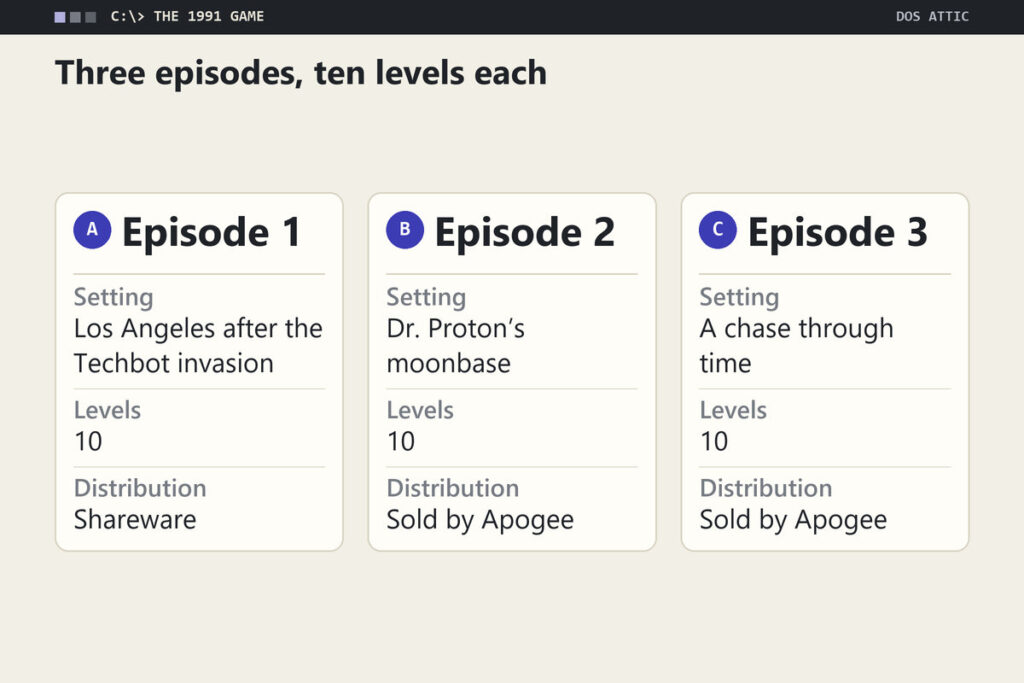
Duke Nukem was developed and published by Apogee Software for MS-DOS in 1991. According to a history of the game, it is a 2D game with multidirectional scrolling and three episodes of ten levels each, and only the first episode was distributed as shareware. The goal in most levels is to reach the exit while shooting enemies and picking up points, health, gun upgrades and items with special abilities. The last level of each episode has no exit at all; you finish it by finding and defeating Dr. Proton, a mad scientist who commands an army of Techbots.
The story is set in 1997. The first episode takes place in a Los Angeles devastated by a Techbot invasion, the second chases Proton to a hidden moonbase, and in the third he escapes through a time machine, so Duke follows him into the future. At the end of every level except the last one in each episode, the player can earn up to seven 10,000-point bonuses for feats such as destroying all the cameras, which gives completionists a reason to replay a level rather than simply reach the door.
Because every episode ends with a fight against Proton, each one works as a closed story. That detail matters for a shareware product: the free episode is not a truncated demo that stops mid-plot, but a complete game with a beginning, ten levels and a boss. A player could stop there and have lost nothing, or keep going because the setup of the second episode, with Proton escaping to a moonbase, is a promise rather than a cliffhanger.
Computer Gaming World’s late-1991 roundup
A contemporary view survives in issue 89 of Computer Gaming World, dated December 1991. The magazine’s new-products listing puts Duke Nukem next to Apogee’s Paganitzu under the Apogee Software Productions entry in Garland, Texas, and calls them a dynamic arcade duo. Of Paganitzu it says that hero Alabama Smith crosses an Aztec pyramid where as many as 130 animated objects might be on screen at once. On Duke Nukem, the writer says Apogee had a knack for giving IBM owners a taste of what they were missing on a Sega Genesis, praises Duke Nukem for using over a meg of EGA and VGA graphics, and adds that the frame rate was fast enough to make motion very smooth indeed. The comparison to a console is telling, because arcade-style action was exactly what PC owners were assumed to lack in 1991.
The same entry notes that both games are the first of shareware trilogies and that each offers on-line hints and instructions. Each was listed at $15.00. For the business side of the trilogy format, the history of how Apogee sold shareware by the episode explains the arrangement.
Naming the hero twice
From Heavy Metal to Duke
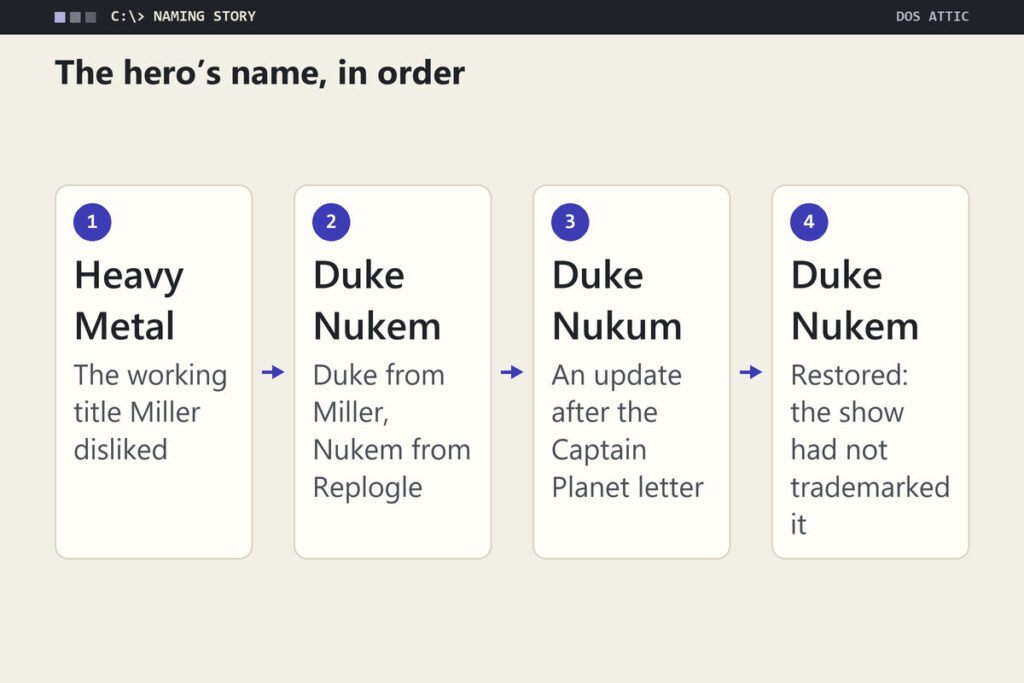
Scott Miller tells the naming story himself in a post on Apogee’s own site. The proposed title for the platformer was Heavy Metal, and he hated it. He remembers telling programmer Todd Replogle that the game should be named after its lead character, the way comic books are, then proposing Duke as the first name because it sounds strong. Not long after, Replogle came back with Nukem as the surname. It is a small piece of corporate naming, but it explains something about the series: from the start, Duke was meant to be a character with a brand, not a game with a protagonist.
The Captain Planet problem
Two legal letters followed, in Miller’s telling. The first came from Duke University, a few months after release, alleging a trademark violation. Apogee’s attorney beat it back, since the university had no conflicting video games and the two names are hard to confuse, and Apogee agreed to use the full Duke Nukem name in all of its marketing materials. Then came a letter from the Turner network, which said its Captain Planet cartoon already had a Duke Nukem character. Apogee panicked and released a game update that changed the name to Duke Nukum; its attorney then found that the show had not trademarked the name and that a video game sat in a different market, so the original spelling stayed. Miller dates the first platformer to 1992 in that post, but Computer Gaming World was already covering it in December 1991, so this article follows the magazine on dates.
The letters show how little legal infrastructure a small shareware company had. Apogee changed its game’s name on the strength of a cartoon letter, then undid the change once a lawyer looked at the paperwork. Because Miller says an update carried the Nukum spelling, a copy labeled “Duke Nukum” is a real version of the game from that brief interlude.
Release date and numbering, briefly
When did the first Duke Nukem come out?
The first game came out in 1991 from Apogee, for MS-DOS. An exact month is not confirmed in the sources checked here, but issue 89 of Computer Gaming World, dated December 1991, was already covering it. The sequel, Duke Nukem II, followed in 1993, and Duke Nukem 3D arrived in 1996. If you are searching for the date because you want the oldest Duke, the 1991 platformer is the one you want.
Is Duke Nukem 3D the first Duke game?
No. Duke Nukem 3D was the third game and the one that moved the character into three dimensions. It is also the only one of the three that is easy to buy new today, as the legal section below shows, which is why many players assume it is the original. The earlier two games are 2D platformers in the same style, and neither plays anything like the shooter.
Scrolling in blocks, with a hand from Carmack
Replogle has said that John Carmack helped him program some of the low-level parts of the game in assembly language. The world scrolls by shifting 8 by 8 pixel blocks, not individual pixels, a trade-off that keeps the program small and quick at the price of coarser motion than a pixel-smooth scroll. The Computer Gaming World writer’s praise for the frame rate suggests the bargain paid off in 1991.
Carmack’s involvement is the thread that connects this game to a better-known story. In September 1990 he and Tom Hall built the overnight Mario demo that borrowed Dave’s sprite, and Apogee distributed the Commander Keen game that grew from it that December. Duke Nukem is a different design, built around reaching a level exit while shooting enemies and collecting pickups, but it comes out of the same moment and some of the same people.
Sales, sequels and the 3D jump
Miller has estimated that the game eventually sold between 60,000 and 70,000 copies, which is a respectable total for a shareware platformer from a company with no retail shelf presence. It also set up the series for a sequel in the same style. Duke Nukem II in 1993 was a similarly styled 2D game, and Apogee kept making platformers in that vein into the middle of the decade, for example the sorcerer platformer Hocus Pocus.
The 1996 shift was larger than any of the earlier steps. Duke Nukem 3D changed the graphics to 3D, and it became the most popular of the three. Anyone who judges the first game by that standard will find it slight, but it was never competing with a shooter. It was an arcade-style platformer in a trilogy format, listed at $15 in 1991, and its moment passed because the next game in the series was a hit, not because it was a failure.
Even before it shipped, the 3D game was visible in the trade press. In July 1995 Computer Gaming World ran a sneak preview of Duke Nukem 3D in its issue 132, calling it Apogee’s new action-packed blast fest, and an advertisement in the same issue carried a note that 3D Realms Entertainment was a division of Apogee Software. The preview also looks back: it says Duke’s life began in 1991 as the key character in Todd Replogle’s platform game, that Duke Nukem II followed in late 1993, and that Replogle was still on board as coder of the 3D game. Even the Cola cans that boosted Duke’s health in the platformers, it notes, were still lying around in the new one. The 3D Realms name, in other words, already existed well over a year before the whole company took it.
Finding the 1991 original in 2026
Finding a legitimate copy of the 1991 game is harder than for most of Apogee’s catalog. On October 17, 2026 Steam offered the 2016 Duke Nukem 3D: 20th Anniversary World Tour, developed by Nerve Software and Gearbox Software, while GOG’s catalog had no Duke Nukem title at all, so neither store carries the 1991 original or Duke Nukem II. That edition is a different game from the one this article describes, so buying it will not give you the platformer.
The one official re-release that turns up is on a console rather than a PC. In September 2023 Evercade announced Duke Nukem Collection 1, a cartridge that includes Duke Nukem 1 and 2 Remastered, developed by Blaze Entertainment. The announcement describes them as a ground-up recreation of the two original 2D platformers, with smooth scrolling, widescreen support and improved resolutions. A rebuild of that kind is not the original DOS program, so it will not show you the 8 by 8 block steps described earlier. Neither store check turned up an official sale or free release of the original DOS version.
The same cartridge shows how far the character traveled. Collection 1 also carries Duke Nukem 3D: Total Meltdown, the 32-bit console version with an exclusive episode, while a second cartridge collects Time to Kill, Land of the Babes and Duke Nukem Advance. Those are separate games with the same hero. If you want the 1991 platformer in its original DOS form, the honest answer today is that there is no official channel to point to.
Small hero, long shadow
The 1991 Duke Nukem is worth knowing as the plain first chapter of a loud series, and it is a good example of how a free first episode could carry a game.