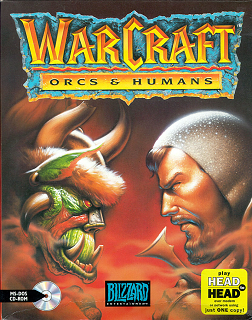
Before World of Warcraft, before Warcraft III, there was the original — Warcraft: Orcs & Humans. Released in 1994 by Blizzard Entertainment, it was the real-time strategy game that refined Dune II’s template and launched one of gaming’s most enduring franchises. It also introduced the fantasy world of Azeroth for the first time.
About Warcraft: Orcs & Humans
Warcraft: Orcs & Humans was developed and published by Blizzard Entertainment in 1994. The game presents two campaigns — one for the Human Alliance defending the Kingdom of Azeroth, and one for the Orcish Horde invading from the Dark Portal. Each campaign spans twelve missions of real-time strategy combat across the kingdom’s forests, swamps, and underground mines.
Gameplay
Warcraft follows Dune II’s RTS template: gather resources (gold and lumber), build structures, train military units, and destroy the enemy’s base. The fantasy setting replaces desert spice with medieval resources. Humans train knights and clerics; Orcs build grunt warriors and warlocks. Spells add tactical depth — healing, invisibility, and summoning can turn the tide of engagements.
The interface is simpler than Dune II — units can be grouped and ordered with more precision. Fog of war obscures unexplored terrain. The combination of resource management, base building, and tactical combat creates the strategic loop that Blizzard would perfect in later entries.
Why It’s Worth Playing
Playing the original Warcraft today is a study in foundational design. You can see exactly how Blizzard took Dune II’s concepts and made them more accessible, more varied, and more fun. The fantasy aesthetic works brilliantly — forest clearings feel meaningfully different from dungeon corridors. For anyone curious about the origins of Azeroth, this is where it started.
How to Download Warcraft: Orcs & Humans
New to DOSBox? Our complete DOSBox setup guide walks you through everything you need. Looking for more classics? Browse our top free DOS games list.
Watch Gameplay
How to Run with DOSBox
Check our DOSBox guide, then run WAR.EXE.
You might also like: