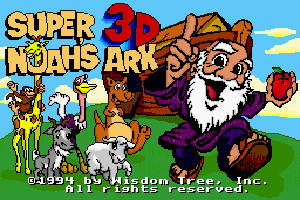
Super 3-D Noah’s Ark holds a unique place in gaming history: it is the only officially licensed SNES game released without Nintendo’s approval, and its DOS version is the only Wolfenstein 3D-engine game ever sold commercially that id Software didn’t publish. It is also genuinely fun — and now freely available.
About Super 3-D Noah’s Ark
Developed by Wisdom Tree and released in 1994, Super 3-D Noah’s Ark uses a licensed version of the Wolfenstein 3D engine to tell a biblically inspired story. Noah is aboard the ark during the flood, and the animals have gone restless. His solution: shoot them with slingshots loaded with food to put them to sleep. The game replaces all of Wolf3D’s guards with sheep, goats, ostriches, and other animals.
Wisdom Tree released the DOS version as freeware. The SNES cartridge is a valuable collector’s item today.
Gameplay
Super 3-D Noah’s Ark plays identically to Wolfenstein 3D — navigate first-person corridors, shoot enemies (animals), collect items, find keys, and reach the exit. The food projectiles replace bullets, and the ark corridors replace the Nazi castle, but the engine is entirely recognizable. It plays well because Wolfenstein 3D’s engine is well-designed, and Wisdom Tree’s level design is competent.
Why It’s Worth Playing
Super 3-D Noah’s Ark is fascinating primarily as a cultural artifact — the intersection of religious education software and Wolfenstein 3D’s engine creates something genuinely surreal. But the game itself is also a perfectly playable Wolf3D variant with enough charm to be enjoyable on its own terms. As a piece of DOS gaming history, it is completely unlike anything else.
How to Download Super 3-D Noah’s Ark
New to DOSBox? Our complete DOSBox setup guide walks you through everything you need. Looking for more classics? Browse our top free DOS games list.
How to Run with DOSBox
- Extract to
C:\NOAH3D - In DOSBox:
mount c c:\noah3d→c: - Run:
NOAH3D.EXE
You might also like: