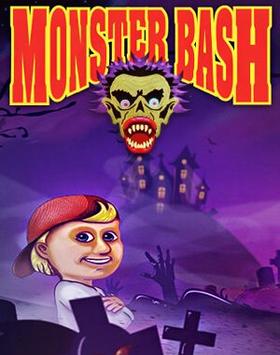
Halloween nights, a boy named Johnny, and a dog stolen by the sinister Count Chuck — that’s the setup for Monster Bash, Apogee’s October 1993 platformer that wrapped classic side-scrolling gameplay in an irresistible monster movie aesthetic.
About Monster Bash
Monster Bash was developed by Mike Maynard and published by Apogee Software in 1993. Johnny Dash’s beloved dog Tex has been kidnapped by Count Chuck, a vampire who plans to turn all Earth’s pets into mindless monsters. Johnny must battle through haunted mansions, graveyards, and monster lairs across three episodes to rescue Tex. Apogee later released all three episodes as freeware.
Gameplay
Monster Bash is a side-scrolling platformer where Johnny throws eyeballs (yes, eyeballs) at monsters to defeat them. Enemy types include mummies, skeletons, vampires, werewolves, and ghosts, each with distinct behaviors. Johnny can also collect special weapons like bombs for tougher encounters.
Levels are filled with platform jumps over pits, item collection, and hidden bonus stages. The level design uses the Halloween atmosphere brilliantly — flickering candles, swinging chandeliers, bubbling cauldrons, and tombstones make every stage feel appropriately spooky without being scary.
Why It’s Worth Playing
Monster Bash has extraordinary visual charm. The EGA graphics are colorful and detailed, with Halloween iconography packed into every corner. The protagonist is likable, the enemies are creative, and the boss encounters are memorable. It’s a comfort-food platformer with genuine character.
It’s also one of the more visually polished DOS platformers of its era, with animation quality that rivals games from larger studios.
How to Download Monster Bash
New to DOSBox? Our complete DOSBox setup guide walks you through everything you need. Looking for more classics? Browse our top free DOS games list.
Watch Gameplay
How to Run with DOSBox
Set up DOSBox using our installation guide, then run BASH.EXE from the mounted game folder.
You might also like: