Before Max Payne, before Alan Wake, Remedy Entertainment made a top-down racing game where you shot your opponents to win. Death Rally, released in 1996, is exactly what it sounds like — a racing game with machine guns, mines, and a campaign that rewards destruction as generously as speed.
About Death Rally
Death Rally was developed by Remedy Entertainment and published by Apogee Software in 1996. You race in a series of underground tournaments, earning money to upgrade your vehicle, buy weapons, and repair damage. The ultimate goal is defeating the Adversary, the undefeated champion of the Death Rally circuit. Apogee released Death Rally as freeware, making the complete game legally available at no cost.
Gameplay
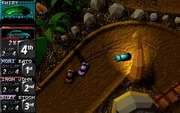
Death Rally uses a top-down perspective with four-wheel physics that feels genuinely reactive to track surfaces. Each race puts you against three opponents on circuits ranging from city streets to desert tracks. Machine guns, rockets, and mines can be purchased before each race and used during it to eliminate rivals — wrecking opponents earns bonus money even if you don’t finish first.
Between races, you manage a garage: repair damage, upgrade engine and armor, and buy better weapons. The campaign progresses through a series of races and bounty missions — contracts to wreck specific opponents for reward money. The difficulty escalates as better-equipped rivals join the circuit.
Why It’s Worth Playing
Death Rally captures a specific kind of destructive fun that very few games replicate. Winning a race by destroying every opponent before the finish line is deeply satisfying. The upgrade system creates meaningful progression. And the knowledge that this is Remedy’s first major work — before they became masters of cinematic narrative — makes it historically fascinating.
How to Download Death Rally
New to DOSBox? Our complete DOSBox setup guide walks you through everything you need. Looking for more classics? Browse our top free DOS games list.
Watch Gameplay
How to Run with DOSBox
Our DOSBox guide covers everything. Run DRSETUP.EXE first to configure, then DR.EXE to play.
You might also like: