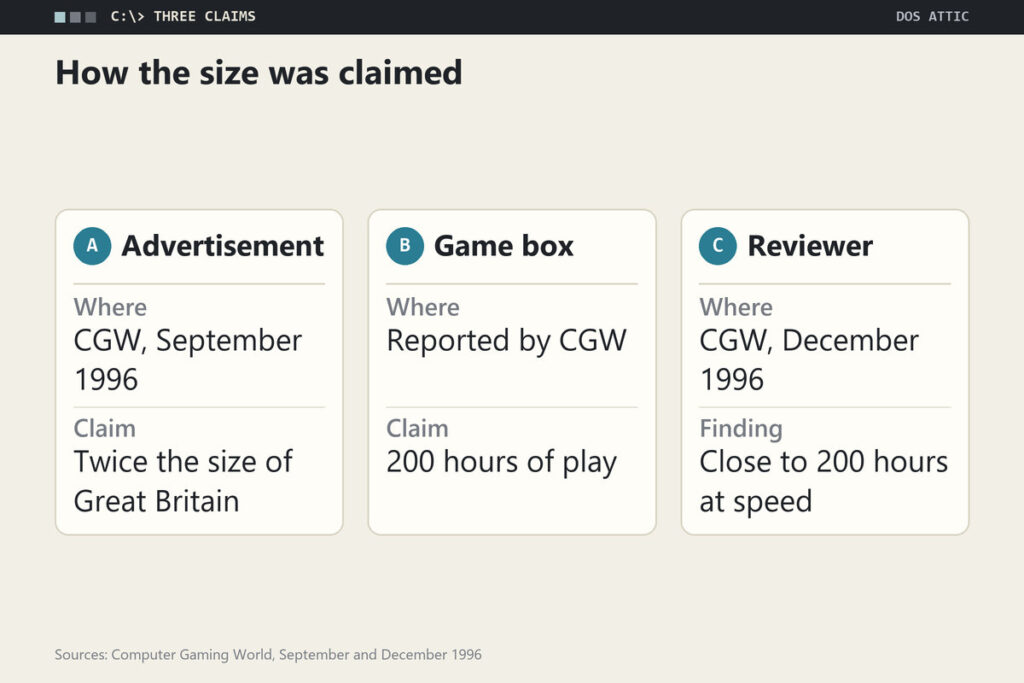
In September 1996 Bethesda told readers of Computer Gaming World that Daggerfall’s world was twice the size of Great Britain. Three months later the magazine’s reviewer, Scorpia, wrote that the box promised 200 hours of play, that she had put in close to that just getting through the game at breakneck pace, and that it had reached shops at least a month too early.
Bethesda now offers the full game for nothing. Its own Daggerfall page carries the full-game button, and Steam lists it as Free To Play with minimum requirements of PC/MS-DOS 6.0 and an Intel i486 DX2, so what you receive is the 1996 DOS program. Bethesda opened it up on 9 July 2009 for the series’ fifteenth anniversary, according to UESP’s news item, and pointed players to a DOSBox guide at the time; the mounting steps are in the DOSBox mounting walkthrough.
Twice the Size of Great Britain, as Advertised
The advertisement appeared in Computer Gaming World’s September 1996 issue, which shows its wording: a world twice the size of Great Britain, with hundreds and hundreds of hours of playtime. The magazine’s own news column in the same issue said it had received a near-gold build and that the terrain model had been improved with algorithms from the fractal pioneer Dr. Ken Musgrave, adding that the real beauty of the game lay below the surface, in role-playing detail far beyond games of recent vintage.
Neither claim is a measurement. Comparing an invented map with a real island gives a feeling, not an area, and hours of play depend on the player. The December review is the first place the numbers meet a person: the box said 200 hours, and the reviewer, going quickly, reported spending close to that. The figure was marketing that turned out to be roughly honest.
What the box asked of a PC
The same review lists the 1996 price at $79.99 and the requirements as a 486-66 or better, MS-DOS 5.0 or later, 8 MB of RAM, a double-speed CD-ROM and VGA, with support for Sound Blaster, Roland, Ensoniq, Aria and Ultrasound cards. Protection was none beyond keeping the CD in the drive. It credits Julian LeFay and Hal Bouma as designers. Steam’s line today asks for DOS 6.0 and an i486 DX2, so the two lists disagree on the DOS version, a small example of why a requirement line is a hint and not a specification.
Characters the Player Builds From Scratch
The review in CGW’s December 1996 issue spends most of its praise here. Advancement is skill-based: your level no longer depends on how many monsters you kill but on how far your skills rise, and skills fall into primary, major, minor and miscellaneous groups that all improve with use. You can pick one of the old classes or build your own, choosing starting skills, advantages and disadvantages, minimum stats and even the maximum hit points per level. The reviewer’s examples were a sorcerer who can wear plate armor and a battlemage immune to paralysis.
The price of a strong build is slower growth, up to three times slower, which the player offsets by adding disadvantages. On top of that sits reputation: the local population, nobility, merchants, guilds, temples, knightly orders and the underworld each form a view of you, and joining an organization brings ranks and perks. Potions, for instance, can only be bought at a temple, and only by a member of high enough rank. Characters from the predecessor cannot be transferred, and you may play an assassin or a thief; becoming a vampire or werewolf no longer ends the character.
The rule the manual forgot to mention
The review’s loudest complaint is a missing warning. Once a primary or major skill reaches 100 percent, level gain stops, which also stops hit points and stat points, and parts of the main quest only start when the character reaches certain levels. A player who trains one skill too hard, say by casting a cheap spell over and over, can stall the game permanently. A tips column in the same issue says the final quests do not appear before level 10, so primary and major skills should stay below the cap until then.
Dungeons Built From Hand-Made and Reused Pieces
The review describes the dungeons as an endless-corridor model: doors lead to rooms or to more passages, until the automap looks, in the reviewer’s words, like a plate of spaghetti. The main-quest dungeons were crafted by hand and are each unique. The side-quest dungeons are assembled with a measure of chance, and the reviewer spotted familiar pieces turning up in new arrangements. All of them reset when you leave, monsters and treasure included, so a rest outside means starting the dungeon over.
That detail corrects the easy story that Daggerfall’s dungeons were all machine-made. The review separates the hand-built story dungeons from the shuffled filler, and it praises the improved town map, where shops, taverns and guilds are highlighted in colour and a building’s name is written onto the map as you pass. The fixed-plan alternative is easiest to see in Eye of the Beholder’s twelve fixed levels.
Patched Within Three Weeks, Still a Month Early
The bugs, the reviewer wrote, were numerous. A patch file arrived just before her article went to print and fixed 25 separate problems, among them several side and main quests that did not work. She credited Bethesda with moving fast, since the patch came within three weeks of release, and in the same breath said the game had shipped at least a month too soon. Readers were told to get the patch from the online services or from Bethesda’s web site before playing.
Other complaints were smaller but telling. The game allows only six save positions, which she called inadequate for a game this size and said should have been at least ten. Several dungeon puzzles involve levers that can only be solved by trial and error, and the ending is a 20-second animation after which the world feels unchanged. Her verdict still stood: for all its faults, the closest thing to real role-playing she had seen outside the Ultima series.
Four Things Newcomers Ask Before Starting
Is it the whole game or only a trial?
It is the whole game. Bethesda’s page and Steam’s Free To Play listing offer the 1996 program, and UESP describes the 2009 release as the game itself. For scale, the same discs were priced at $79.99 when the reviewer judged them.
Should I use the DOS original or Daggerfall Unity?
Unity is a separate open-source recreation, built in the Unity engine by Daggerfall Workshop and licensed under MIT, according to its project page. It needs a free copy of the DOS game for its textures, models and sound, runs on Windows, Linux and Mac without emulation, and claims hundreds of fixes and quality-of-life changes. The 1996 review’s complaints about bugs and save slots are the sort of thing such fixes target, though no source here says which ones. For the history, run the original; for a first playthrough, Unity is the safer bet.
How big is the map, really?
No source here measures it. The advertisement compared it to Great Britain, the reviewer reported hours and not distances, and the improved fast-travel screen she praised is what lets you move around the empire of Tamriel with ease. Treat any figure in kilometres as a fan estimate unless it cites the developer. For a sense of how a big 1990s RPG world was counted, a 1993 review of Clouds of Xeen listed towns, mines and dungeons one by one.
Do I have to finish the main quest?
You never have to start it early. The review’s tips column says the story only starts to roll around level 3 and advises enjoying yourself until then. But you do have to complete each main-line quest on time to finish, because each is offered once, and a courier’s letter marks the ones that count. Refusing or blowing one means the game cannot be completed.
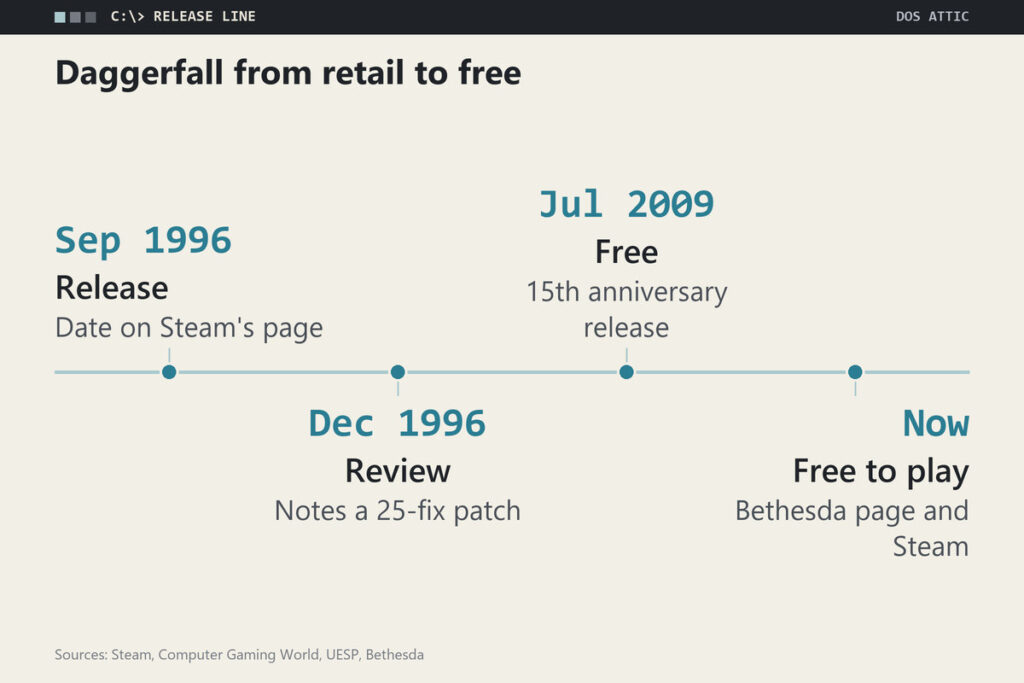
The Release Line From 1996 to Today
| Date | What happened | Where it is recorded |
|---|---|---|
| September 1996 | Bethesda’s advertisement promises a world twice the size of Great Britain; a near-gold build reaches CGW | Computer Gaming World, September 1996 |
| 20 September 1996 | Release date shown on the game’s Steam page | Steam |
| December 1996 | CGW’s review reports a patch fixing 25 problems within three weeks of release | Computer Gaming World, December 1996 |
| 9 July 2009 | Bethesda makes the game free for the series’ fifteenth anniversary | UESP news item |
Read in order, the line shows a game whose commercial life ended in a patch and whose second life began with a gift. Today both Bethesda’s page and Steam’s listing offer the full game at no cost, and Daggerfall Unity, which treats the original as a data source, has moved the easiest way to play from an emulator to a native program. The 1996 claims about size and hours are still the only numbers the sources give, and they are best read as the sales pitch that made players try a very large, very rough game. Two gaps remain: none of these sources gives a sales figure, and Steam’s page shows only the original 1996 date, not when the free listing began, so neither is stated here.