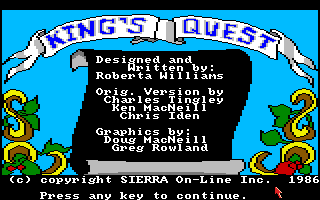
IBM built a home computer in 1984 that needed a reason to exist. The PCjr had better graphics and sound than its business-focused big sibling, but almost nothing worth buying it for — so IBM went to Sierra On-Line and asked for a showcase. What Roberta Williams delivered wasn’t just a demo reel dressed up as a game. It was the first template for what a graphic adventure could be, and it outlived the failed hardware it was built to sell by well over a decade.
A Hardware Demo That Became a Genre
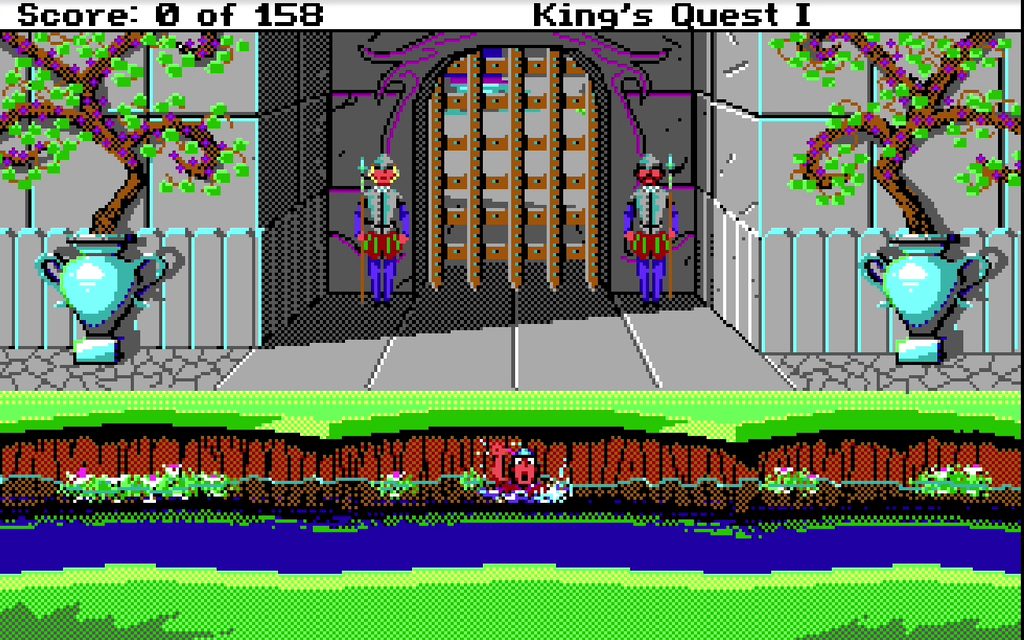
IBM commissioned the game specifically to show off the PCjr’s 16-color graphics, 3-voice sound, and comparatively generous 128 KB of memory — capabilities the standard IBM PC of the time didn’t match. Roberta Williams, Sierra On-Line’s co-founder, designed King’s Quest as a fairy-tale pastiche starring Sir Graham, a knight of Daventry sent to recover three legendary treasures: a mirror, a shield, and a bottomless chest, each guarded by a different folklore figure — a giant, a witch, a dragon, and others along the way.
Development took roughly eighteen months and a team of six programmers and artists, working out new techniques as they went because nothing quite like this had been built before. The PCjr itself flopped commercially, but the game built to sell it did the opposite: King’s Quest went on to sell over 100,000 copies by 1986, on the strength of a genre it had essentially just invented.
The Engine Underneath: AGI
King’s Quest was the first game to run on Sierra’s new Adventure Game Interpreter, or AGI — a system built specifically to let a character walk freely around a scrolling background rather than sit static while text described the scene. That single technical shift is what separates it from the text-driven and static-screen adventures that came before it. You still type commands through a parser, but you also physically walk Sir Graham through a landscape in something close to real time, and AGI would go on to power most of Sierra’s adventure catalog for years afterward.
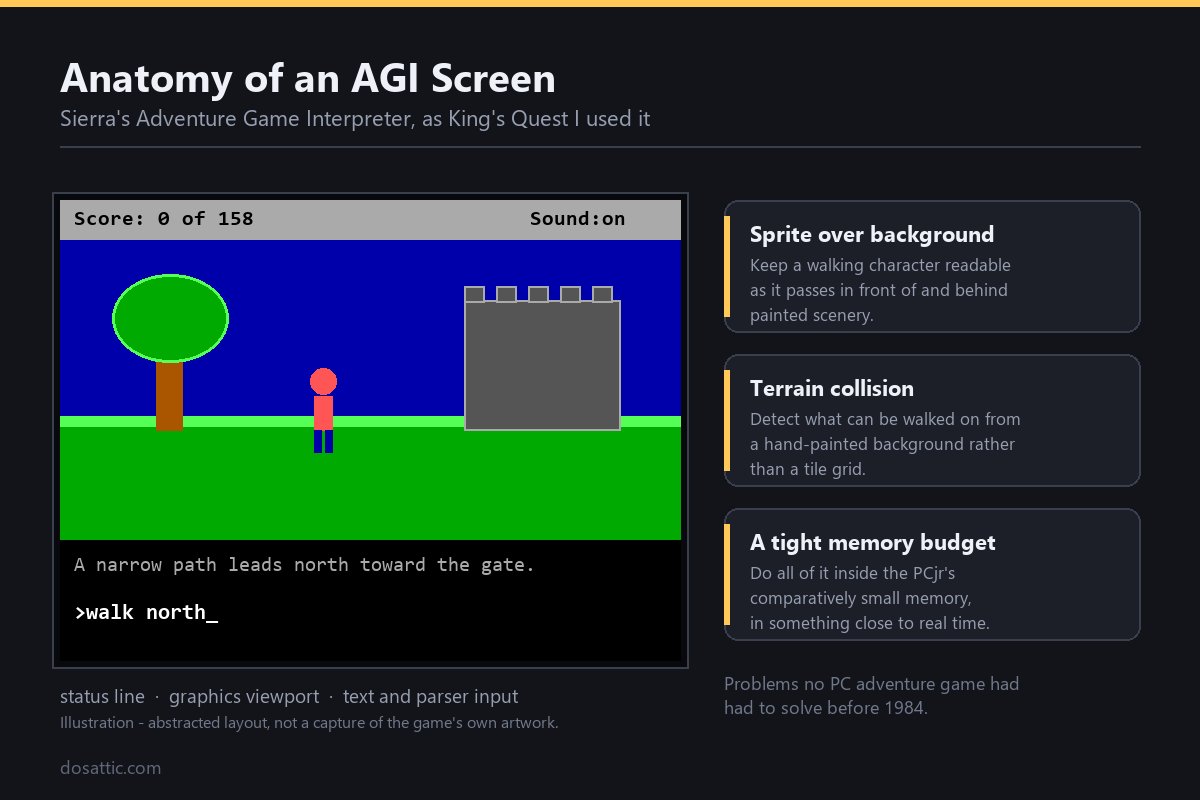
Building that engine from nothing meant solving problems no PC adventure game had needed to solve before: how to keep a sprite readable while it walks in front of and behind background scenery, how to detect collisions against hand-painted terrain rather than a grid, and how to do all of it inside the PCjr’s comparatively tight memory budget. None of that plumbing is visible to a player today, but it’s the reason King’s Quest looks and moves like a game rather than a slideshow with a cursor, which is what most of its direct predecessors amounted to.
Roberta Williams and Sierra’s Early Bet on Adventure Games
Roberta Williams had already co-founded Sierra On-Line with her husband Ken Williams years earlier, building the company’s early catalog around text-driven adventures before pushing for the graphical leap King’s Quest represents. IBM’s commission gave her a rare combination for the era: a guaranteed hardware showcase budget and creative latitude over what that showcase would actually be. She used it to lean into fairy-tale structure rather than the more common science-fiction or mystery settings other adventure developers favored at the time, betting that familiar folklore — giants, witches, dragons — would carry players through an interface and presentation style nobody had seen combined before.
Design Philosophy: Death Is the Point
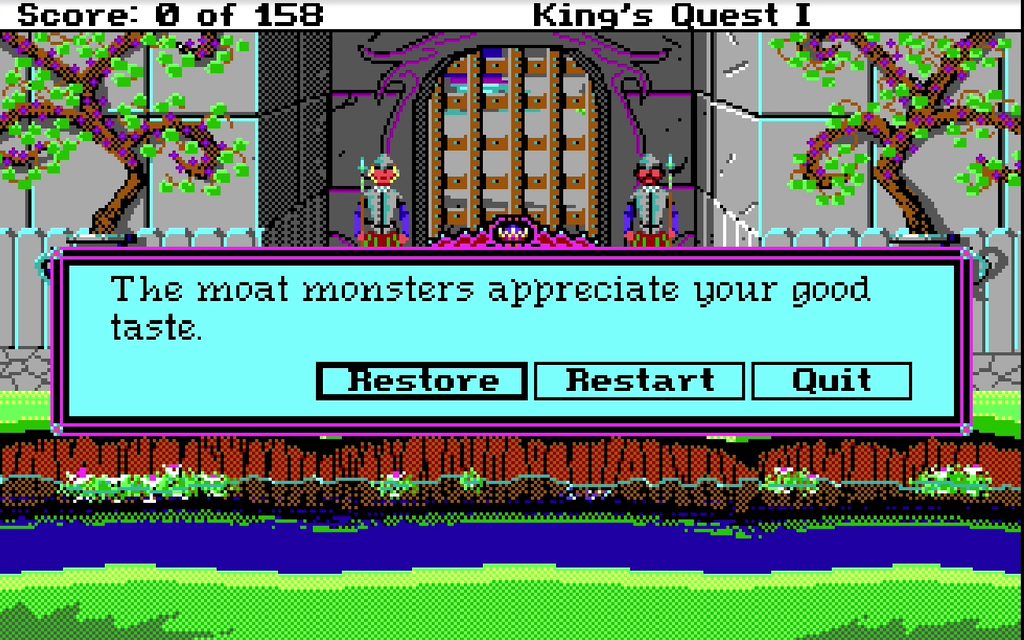
Modern players coming to King’s Quest for the first time are usually startled by how often, and how casually, it kills you. Walking off a cliff, falling into a body of water while carrying too much weight, or simply lingering too long near the wrong folklore creature can all end the game instantly, with no warning telegraphed in advance. There’s no forgiving checkpoint system cushioning any of it.
This wasn’t sloppy design — it was the founding philosophy of what would come to be called “Sierra-style” adventure design: consequences are real, exploration is inherently risky, and the game trusts you to save often rather than protecting you from your own curiosity. LucasArts would later build its own adventure games around the opposite premise, deliberately removing player death entirely, and the contrast between the two studios’ philosophies became one of the genre’s defining debates through the rest of the decade.
No Mouse, No Warning: Setting Up the Original AGI Release
King’s Quest predates any need for aggressive CPU emulation — install DOSBox, mount the game’s folder (for example mount c C:\KQ1), switch to it with c:, and launch it directly. If you’re running the later 1990 VGA-era remake rather than the original AGI release, expect noticeably higher system requirements from DOSBox’s default settings, though nothing modern hardware won’t handle instantly either way. Save often and in multiple slots — given how easily the game kills you, a single save slot you keep overwriting is asking for trouble the moment you make an unrecoverable mistake several screens back.
One period-accurate quirk worth knowing before you start: the original AGI release uses keyboard-only movement, with no mouse support at all, which catches some modern players off guard given how much later Sierra and LucasArts adventures leaned on point-and-click input. Arrow keys move Sir Graham, and the parser window is where you type actions and item interactions — there’s no verb menu to click through, so knowing a handful of standard adventure-game verbs (open, take, look, push) in advance saves a lot of guessing.
Five Tips for Surviving Daventry
- Save before entering any new screen you haven’t seen yet, not just before obvious hazards — plenty of deaths come from screens that look completely safe.
- Pick up everything that isn’t nailed down. Nearly every item exists to solve exactly one puzzle later, and there’s no way to know which ones matter in advance.
- Approach water carrying as little as possible — overloaded inventory while swimming is one of the more common instant-death traps.
- The three treasures can be pursued in almost any order, so if one puzzle has you stuck, try one of the other two questlines instead of grinding against the same wall.
- Talk to every character more than once. Some dialogue and hints only surface on a second interaction rather than the first.
What First-Time Daventry Visitors Want to Know
Why was King’s Quest made for the PCjr specifically?
IBM commissioned it from Sierra On-Line as a showcase for the PCjr’s graphics, sound, and memory advantages over the standard IBM PC, hoping a strong game library would help the new hardware sell.
What is the AGI engine?
Sierra’s Adventure Game Interpreter, first used in King’s Quest, allowed animated character movement over scrolling backgrounds combined with a text parser — a significant technical step up from earlier static-screen adventure games.
Why does the game kill the player so often?
It reflects the “Sierra-style” design philosophy the game helped establish: exploration carries real risk, death is a genuine consequence rather than a rare punishment, and the player is expected to save frequently rather than be protected by checkpoints.
Do I need to complete the three quests in order?
No. The three treasure quests — recovering the mirror, the shield, and the bottomless chest — can be tackled in nearly any order, which is useful if you get stuck on one puzzle and want to make progress on a different questline instead of stalling completely.
Is there a difference between the original and the 1990 remake?
Yes — the original 1984 release uses Sierra’s AGI engine and keyboard-only, parser-driven controls, while the 1990 version was rebuilt in VGA with updated graphics, redrawn character animation, and interface conventions closer to Sierra’s later SCI-engine games.
Does King’s Quest support mouse control?
The original 1984 AGI release does not. Movement is handled entirely with arrow keys, and all interactions are typed through the parser window rather than selected from a menu.
Legacy: The Template That Outlasted the Hardware
The PCjr itself was discontinued within a couple of years, a well-documented commercial failure whose short, cramped keyboard and compatibility quirks made it a punchline in IBM’s own product history almost as soon as it launched. That failure matters for how you should read King’s Quest’s success: the game outsold and outlasted the specific machine it was built to promote, and within a couple of years Sierra had already ported it to the far more common IBM PC and Tandy 1000 platforms, where the bulk of its sales actually happened. The showcase succeeded; the hardware it was showcasing didn’t.
King’s Quest itself spawned seven direct sequels through the rest of the 1990s and established the walk-around, parser-driven graphic adventure format that Sierra reused across the Space Quest and Police Quest series, and that rival studios spent the following decade either adopting or deliberately reacting against. If you’re interested in how the adventure genre’s other major branch developed, Beneath a Steel Sky shows where the format landed a decade later, while Leisure Suit Larry shows Sierra applying the same AGI-descended design philosophy to a very different tone. For the wider context of how DOS gaming’s genres developed in parallel during these years, see our history of DOS gaming overview.
You might also like: