Before John Carmack and John Romero invented the first-person shooter as we know it, they proved something almost as important: that a PC could scroll as smoothly as a Nintendo console. The game that proved it was a goofy little platformer about an eight-year-old genius with a pogo stick.
Four Programmers, One Weekend, One Engine
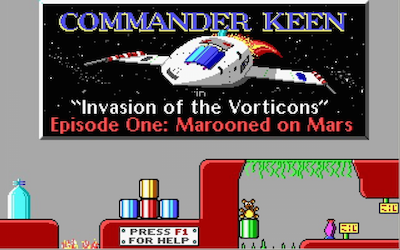
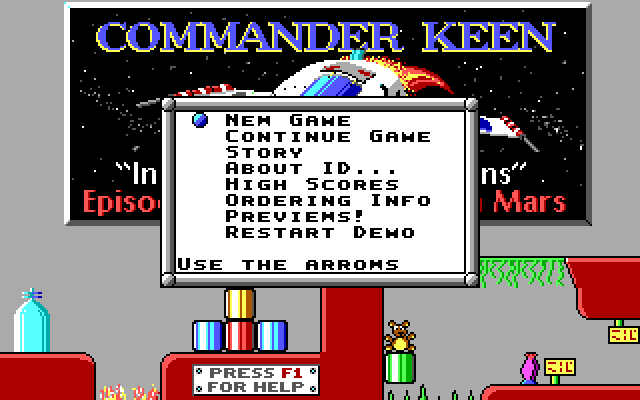
Commander Keen: Invasion of the Vorticons was co-created in 1990 by John Romero, John Carmack, and Tom Hall — the same team that would soon build Wolfenstein 3D and Doom. It was their first major release together, and it announced just how much raw technical and design talent was in that room. Episode one, Marooned on Mars, was released as free shareware, and it’s still a genuine joy to play today.
The circumstances behind its creation are almost as well known as the game itself among DOS enthusiasts: the future id team was working on contract for the software publisher Softdisk at the time, building games and tools on a deadline that left little room for passion projects. Carmack’s smooth-scrolling breakthrough happened somewhat independently of that day job, and the team recognized quickly that they had something special on their hands — special enough that Commander Keen became the foundation on which id Software was built as its own independent company shortly afterward.
Billy Blaze’s Interplanetary Detour
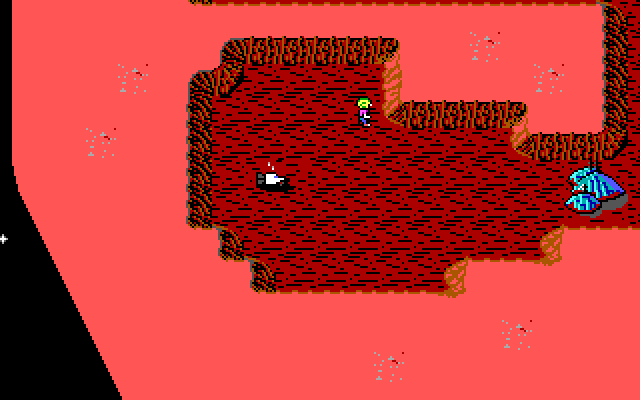
You play Billy Blaze, an eight-year-old genius who builds a spaceship out of household objects in his backyard and takes off as Commander Keen. When the alien Vorticons steal pieces of his ship and scatter them across the planet Vorticon VI, getting home means running, jumping, and blasting through a series of colorful alien worlds armed with nothing more than a pogo stick and a ray gun.
Carmack’s Scrolling Trick Explained
The technical story here is a big part of why Commander Keen matters. In 1990, smooth side-scrolling on PC hardware was considered basically impossible — the graphics cards of the era just weren’t built for it the way console hardware was. John Carmack developed a technique called adaptive tile refresh that redrew only the parts of the screen that had actually changed, rather than the whole display every frame, and the result was scrolling that looked genuinely competitive with Nintendo’s best. It’s a small technical footnote by today’s standards, but at the time it stunned people who’d assumed the PC simply couldn’t do this.
Tips for Clearing Marooned on Mars
- Explore every corner rather than beelining for the level exit — the level design hides secrets in dead ends and off-path areas that reward curious players.
- Your ray gun stuns Vorticons rather than always killing them outright, so treat it as crowd control first and a kill weapon second when you’re navigating tight platforming sections.
- The pogo stick gives you extra jump height and a bit of a bounce — get comfortable chaining pogo jumps early, since later platforming leans on it more than the opening areas suggest.
- Keep an eye on your remaining lives count rather than pushing recklessly through unfamiliar rooms; a cautious approach costs you time, not progress.
- Take time to actually look at the scenery. A lot of Commander Keen’s charm comes from small background and enemy animation details that are easy to miss if you’re only focused on the exit at the end of each level.
Keen vs. Mario: Two Approaches to Platforming
It’s fair to call Commander Keen the PC’s answer to Super Mario Bros., but the comparison only goes so far. Where Mario’s level design is built around tight, momentum-based jumps and set-piece obstacles, Keen leans harder into exploration and secrets, with the pogo stick creating a bouncier, slightly less precise feel than Mario’s jump. The non-lethal ray gun is also a meaningfully different design choice from Mario’s stomp-to-kill combat — Keen is a gentler, more whimsical game even by the standards of family-friendly platformers from this era. What’s remarkable in hindsight is how quickly this same team pivoted from a Mario-inspired platformer to inventing the first-person shooter with Wolfenstein 3D barely two years later — Commander Keen is a genuine snapshot of a group of programmers and designers still figuring out what they were capable of. If there’s an honest criticism to make, it’s that the difficulty ramps up faster than the friendly art style suggests it will — the later levels of Marooned on Mars ask for precise pogo-stick timing that can catch newer players off guard after a deceptively gentle opening stretch. That’s a small stumble in an otherwise remarkably assured debut, and it doesn’t take away from how well the whole package still holds together more than three decades on. Free, historically important, and still genuinely fun — that’s a rare combination, and Marooned on Mars earns all three labels honestly, without needing nostalgia to do the heavy lifting for it. Grab the shareware episode, give it an hour, and see for yourself why this small platformer changed the direction of an entire studio.
Grabbing Episode One Today
New to DOSBox? Our complete setup guide covers installation and configuration, and our list of the best free DOS games has more shareware classics in the same spirit. To install: extract the game files to a folder like C:KEEN, then in DOSBox run mount c C:KEEN, switch to it with c:, and launch either keen1 or keen4e depending on your release. It’s an undemanding game for DOSBox to emulate, so the default cycle settings should be plenty.
Watch Gameplay
You might also like: